# How to Install Viberly on Chrome

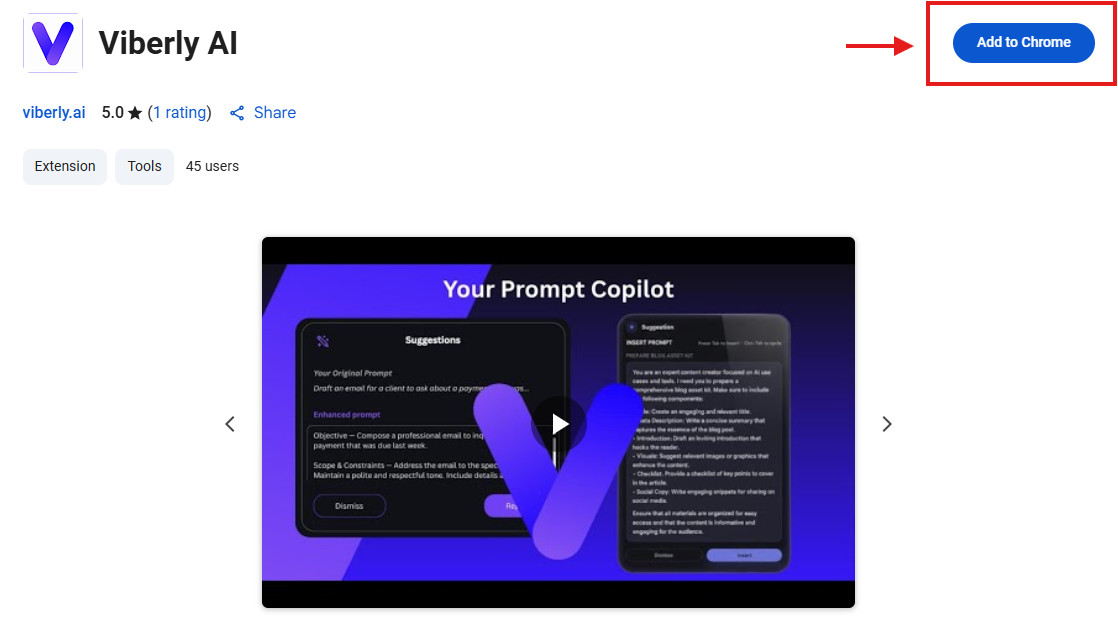
1. Go to the[ Chrome Web Store](https://chrome.google.com/webstore) and search “Viberly.”
2. Click Add to Chrome → Add extension.<br>

   <figure><img src="https://4047167185-files.gitbook.io/~/files/v0/b/gitbook-x-prod.appspot.com/o/spaces%2FQBqPuArB5ZB4bZLfrhXI%2Fuploads%2FQxO3QQHF43TyHhF2O7Yy%2Fimage.png?alt=media&#x26;token=514f701f-2fb8-449b-8c33-e62b8859e1ed" alt=""><figcaption></figcaption></figure>
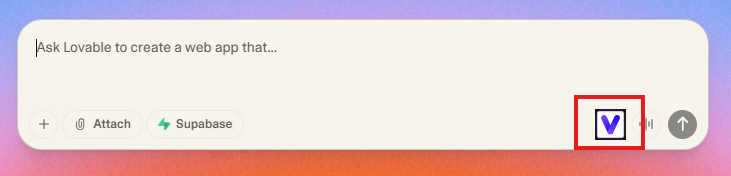
3. Wait a few seconds — you’ll see the Viberly icon appear in your browser toolbar and your AI chat windows.<br>

   <figure><img src="https://4047167185-files.gitbook.io/~/files/v0/b/gitbook-x-prod.appspot.com/o/spaces%2FQBqPuArB5ZB4bZLfrhXI%2Fuploads%2FZ7d8rKbZyuKcAlmAzQhX%2Fimage.png?alt=media&#x26;token=416cc809-9e43-4b45-a9e7-aa21c32feeba" alt=""><figcaption></figcaption></figure>
4. Pin it for easy access (click the puzzle icon → pin 📌 next to Viberly).

💡 Tip: If you don’t see it right away, refresh your AI chat tab.
<br>