# How to Upgrade Your Viberly Plan
Ready to go unlimited? You can upgrade your Viberly plan in just a few clicks.
1. Open any AI chat window (like ChatGPT).
2. Click the Viberly “V” icon in your toolbar.
3. Then click the “+” icon inside the Viberly panel.
4. You’ll be taken to your Viberly Dashboard.
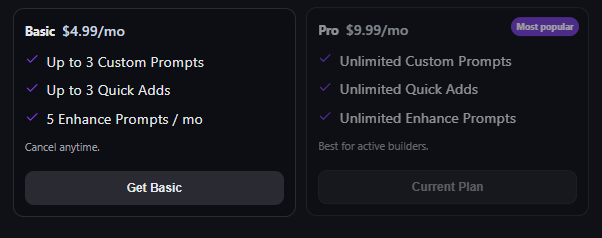
5. Click Billing in the menu.
6. Choose the Basic or Pro Plan and confirm your upgrade.
That’s it — you’re upgraded instantly.